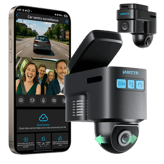
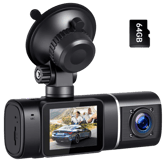
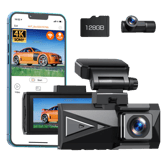
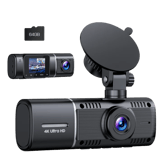
Toguard DC30A Facts: 142 Specifications & 43 Highlights
Is the Toguard DC30A dash cam worth the space in your trunk or garage? Here are 142 specs & performance — like loop recording, front lens field of view, wi-fi connectivity & warranty length — you should know.
 Supermod
  Moderator
Highlights 43
No extras. Just what matters.Why is Toguard DC30A better than other dash cams ?
Video & Recording Performance
- Supports Loop Recording
- Continuous Recording Available
- Provides Night Vision Mode
- Supports Emergency Recording
- Supports Dual Recording
- Supports WDR
- Low-Light Enhancement Available
- Supports HDR
- Time-Lapse Recording Available
- Features Parking Recording Mode
- Features Audio Recording
- Audio Recording Disable Option Available
Camera & Lens System
Scroll down for more factsDisplay & Interface
- Features Screen Auto-Off
- Provides Built-in Display
- Includes Status LED Indicators
- Offers Physical Control Buttons
- Supports Voice Prompt
Connectivity & Smart Features
Scroll down for more factsSafety, Security & Parking Protection
- Offers G-Sensor
- Offers Parking Mode Motion Detection
- Offers File Lock Protection
- Provides Collision Detection
- Features Parking Mode Impact Detection
Power, Battery & Charging
- Features Auto Power On
- Charging While Recording Available
- Provides Cold Start Reliability
- Heat Resistance Design
- Features Auto Power Off
Storage & File Management
Scroll down for more factsBuild, Dimensions & Mounting
Scroll down for more factsQuick Take
The essentials that matter—nothing extraA fast snapshot of the Toguard DC30A, covering its standout specification and what you can expect right out of the box.

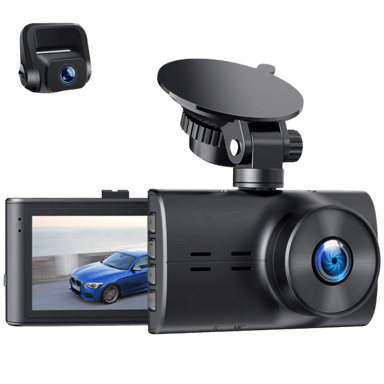
Toguard DC30A is a dual-channel dash cam that records both front and rear views in high resolution. It features 4K front recording paired with a 1080P rear camera, delivering clear and detailed footage in various driving conditions. With wide-angle coverage, night vision, and parking monitoring support, it is suitable for both everyday driving and long trips.
Quick Specs Breakdown
The key specs that actually matter—no fluff, no guessworkHere’s a streamlined view of the Toguard DC30A key specifications. Compare critical features at a glance before exploring the full specs and hands-on insights below.
Does it support loop recording?
What is the front camera resolution?
What is the rear camera resolution?
Can it record continuously?
Does it have night vision?
What is the front lens field of view?
What is the rear lens field of view?
Does it support Wi-Fi?
Is there a mobile app?
What is the warranty length?
What type of device is this?
What camera configuration does it use?
What type of internal battery does it use?
How is the dash cam charged?
Specifications & Facts 142
Specs measured. Drama avoided.Is the Toguard DC30A the best choice in its class? You’ll find out here with full specs, comparisons to similar dash cams, and opinions from the community.
General Information 18

Toguard DC30A Device Type
What type of device is this?
0 Toguard DC30A 0 Votes Dash Cam
Dash Cam in this range Who knows?
Defines the product category and primary function.
Toguard DC30A Camera Configuration
What camera configuration does it use?
0 Toguard DC30A 0 Votes Front + Rear
Dash Cam in this range Who knows?
Indicates how many cameras and viewing angles are supported.
Toguard DC30A Operating Temperature Range
What temperature range does it support?
0 Toguard DC30A 0 Votes -4°F to 140°F
Dash Cam in this range Who knows?

Operating temperature range is -4°F to 140°F (converted -20°C to 60°C), meaning the device is designed to function across typical automotive extremes.
This range is suitable for most climates but verify behavior at the extremes if you operate in very cold or very hot regions for extended periods.
Defines the temperature range where the dash cam operates reliably.
Toguard DC30A Target User Type
Who is this dash cam for?
0 Toguard DC30A 0 Votes Daily Driver, Security-Conscious User
Dash Cam in this range Who knows?
Target users are Daily Driver and Security-Conscious User, indicating the product suits everyday commuting and users focused on vehicle security.
Features and settings are likely optimized for routine recording and event protection rather than specialized commercial fleet needs.
Defines the primary user profile the dash cam is designed for.
Toguard DC30A Release Year
What year was it released?
0 Toguard DC30A 0 Votes 2022
Dash Cam in this range Who knows?
Release year is 2022, which helps set expectations for feature set, firmware support window, and hardware generation.
Newer release often means more recent sensor and processing improvements compared with older models.
Indicates the year the product model was released.
Toguard DC30A Storage Media Type
What storage media does it use?
0 Toguard DC30A 0 Votes microSD
Dash Cam in this range Who knows?
Specifies the type of storage media used to record video footage.
Video & Recording Performance 22
Toguard DC30A Loop Recording
Does it support loop recording?
Yes 0Votes Toguard DC30A
Dash Cam in this range Who knows?
Yes for loop recording means the device overwrites the oldest footage when storage is full, keeping recent events continuously recorded.
This behavior reduces the need to manually manage storage during regular use.
Automatically overwrites old footage when storage is full.
Toguard DC30A Front Camera Resolution
What is the front camera resolution?
0 Toguard DC30A 0 Votes 4K
Dash Cam in this range Who knows?
Specifies the video resolution of the front-facing camera.
Toguard DC30A Rear Camera Resolution
What is the rear camera resolution?
0 Toguard DC30A 0 Votes 1080p
Dash Cam in this range Who knows?
Indicates the resolution of the rear-facing camera.
Toguard DC30A Continuous Recording
Can it record continuously?
Yes 0Votes Toguard DC30A
Dash Cam in this range Who knows?
Indicates support for uninterrupted recording sessions.
Toguard DC30A Night Vision Mode
Does it have night vision?
Yes 0Votes Toguard DC30A
Dash Cam in this range Who knows?
Enables improved recording in low-light conditions.
Toguard DC30A Front Frame Rate
What is the front camera frame rate?
Dash Cam in this range Who knows?
The front frame rate is 30 Hz, which is a common setting that provides smooth video for typical driving speeds and lighting conditions.
It balances motion clarity with storage and processing requirements.
Measures how smoothly the front camera records motion.
Camera & Lens System 14
Toguard DC30A Front Lens Field of View
What is the front lens field of view?
Dash Cam in this range Who knows?
Front lens field of view is 170°, a very wide angle that captures a broad road perspective and multiple lanes.
Be aware that very wide FOVs can introduce some edge distortion, especially near the frame periphery.
Indicates how wide the front camera can capture the road.
Toguard DC30A Rear Lens Field of View
What is the rear lens field of view?
Dash Cam in this range Who knows?
Defines the viewing angle of the rear-facing lens.
Toguard DC30A Lens Aperture
What is the lens aperture?
0 Toguard DC30A 0 Votes F1.8
Dash Cam in this range Who knows?
Lens aperture is F1.8, which is relatively large and helps gather more light for improved low‑light performance.
A wider aperture contributes to clearer nighttime and dawn/dusk recordings.
Describes the lens opening size affecting low-light performance.
Toguard DC30A Adjustable Lens Angle
Is the lens angle adjustable?
Yes 0Votes Toguard DC30A
Dash Cam in this range Who knows?
Yes means the lens angle is adjustable, allowing you to fine‑tune the field of view to reduce hood or dash intrusion in the frame.
This helps optimize framing for different windshield positions and vehicle types.
Indicates whether the lens angle can be manually adjusted.
Toguard DC30A Rear Sensor Model
What is the rear sensor model?
0 Toguard DC30A 0 Votes GC2053
Dash Cam in this range Who knows?
The rear sensor model is GC2053, identifying the specific imaging sensor used for the rear camera.
Knowing the sensor model helps when comparing low‑light performance and dynamic range across cameras.
Indicates the image sensor model for the rear camera.
Toguard DC30A Lens Element Count
How many lens elements are used?
0 Toguard DC30A 0 Votes 6-layer
Dash Cam in this range Who knows?
Indicates how many glass elements make up the lens.
Display & Interface 12
Toguard DC30A Screen Auto-Off
Does the screen turn off automatically?
Yes 0Votes Toguard DC30A
Dash Cam in this range Who knows?
Yes indicates the screen will automatically turn off after a period of inactivity to reduce distraction and save power while driving.
You can still enable live view via the companion app or local controls when needed.
Turns off the screen automatically to reduce distraction.
Toguard DC30A Built-in Display
Does it have a built-in display?
Yes 0Votes Toguard DC30A
Dash Cam in this range Who knows?
Indicates whether the dash cam includes an integrated screen.
Toguard DC30A Display Size
What is the display size?
Dash Cam in this range Who knows?
Measures the diagonal size of the built-in screen.
Toguard DC30A Display Type
What type of display does it use?
0 Toguard DC30A 0 Votes LCD
Dash Cam in this range Who knows?
Describes the screen technology used.
Toguard DC30A Touchscreen
Is the display touchscreen-enabled?
No 0Votes Toguard DC30A
Dash Cam in this range Who knows?
Indicates whether the screen supports touch input.
Toguard DC30A Screen Resolution
What is the screen resolution?
0 Toguard DC30A 0 Votes 320x240
Dash Cam in this range Who knows?
Defines the pixel resolution of the display.
Connectivity & Smart Features 14
Toguard DC30A Wi-Fi Connectivity
Does it support Wi-Fi?
Yes 0Votes Toguard DC30A
Dash Cam in this range Who knows?
Yes means the unit includes Wi‑Fi connectivity for app control, live view, and wireless file transfer to a smartphone.
Wi‑Fi is convenient for quick downloads without removing the SD card.
Indicates whether the dash cam supports Wi-Fi connectivity.
Toguard DC30A Mobile App Support
Is there a mobile app?
Yes 0Votes Toguard DC30A
Dash Cam in this range Who knows?
Indicates compatibility with a companion mobile application.
Toguard DC30A Wi-Fi Frequency Band
Which Wi-Fi bands are supported?
0 Toguard DC30A 0 Votes 2.4GHz
Dash Cam in this range Who knows?
The Wi‑Fi frequency band is 2.4GHz, which typically offers better range and penetration through glass than 5GHz but can be more crowded.
Expect more compatibility with older phones and longer effective range at the potential cost of interference in busy environments.
Specifies supported Wi-Fi bands for connection stability and speed.
Toguard DC30A Bluetooth Connectivity
Does it support Bluetooth?
No 0Votes Toguard DC30A
Dash Cam in this range Who knows?
No Bluetooth connectivity means the dash cam cannot pair wirelessly with a phone or accessory for live view, firmware updates, or file transfers.
Plan for wired or Wi‑Fi alternatives if you need remote control or easy media transfer.
Enables short-range wireless communication with other devices.
Toguard DC30A Cloud Connectivity
Does it support cloud connectivity?
No 0Votes Toguard DC30A
Dash Cam in this range Who knows?
Allows footage upload and access via cloud services.
Toguard DC30A Live View via App
Can you view live footage in the app?
Yes 0Votes Toguard DC30A
Dash Cam in this range Who knows?
Enables real-time camera viewing through the mobile app.
Safety, Security & Parking Protection 14
Toguard DC30A G-Sensor
Does it have a G-sensor?
Yes 0Votes Toguard DC30A
Dash Cam in this range Who knows?
Yes indicates a built‑in G‑sensor, which detects impacts and automatically locks relevant recordings to prevent them from being overwritten.
A G‑sensor is useful for preserving evidence of collisions or sudden maneuvers.
Detects sudden impacts or collisions automatically.
Toguard DC30A Parking Mode Motion Detection
Does it detect motion while parked?
Yes 0Votes Toguard DC30A
Dash Cam in this range Who knows?
Yes indicates the parking mode uses motion detection to start recording when movement is detected near the vehicle while parked.
This helps capture suspicious activity without continuously recording and consuming storage.
Triggers recording when motion is detected near the vehicle.
Toguard DC30A Tamper Detection
Does it detect tampering?
No 0Votes Toguard DC30A
Dash Cam in this range Who knows?
No tamper detection implies the device won't automatically flag or notify when the unit is moved or interfered with.
You will need to rely on manual inspection or external monitoring systems for tamper events.
Detects unauthorized handling or movement of the device.
Toguard DC30A File Lock Protection
Are important files protected?
Yes 0Votes Toguard DC30A
Dash Cam in this range Who knows?
Protects important footage from being overwritten.
Toguard DC30A Collision Detection
Does it detect collisions?
Yes 0Votes Toguard DC30A
Dash Cam in this range Who knows?
Automatically detects collisions while driving.
Toguard DC30A Parking Mode Impact Detection
Does it detect impacts in parking mode?
Yes 0Votes Toguard DC30A
Dash Cam in this range Who knows?
Detects impacts while the vehicle is parked.
Power, Battery & Charging 14
Toguard DC30A Internal Battery Type
What type of internal battery does it use?
0 Toguard DC30A 0 Votes Li-Po
Dash Cam in this range Who knows?
Specifies the type of built-in battery used.
Toguard DC30A Charging Method
How is the dash cam charged?
0 Toguard DC30A 0 Votes USB, Hardwire
Dash Cam in this range Who knows?
Describes how the device receives power.
Toguard DC30A Power Consumption
What is the power consumption?
Dash Cam in this range Who knows?
Power consumption is 5 Watt, a low draw that minimizes load on the vehicle power supply and reduces heat generation.
Lower consumption is beneficial when using parking modes or battery packs for extended durations.
Measures how much power the dash cam consumes.
Toguard DC30A Auto Power On
Does it power on automatically?
Yes 0Votes Toguard DC30A
Dash Cam in this range Who knows?
Yes means the dash cam powers on automatically with vehicle power, so it begins recording without manual startup.
This is useful for ensuring events are captured immediately when you start the vehicle.
Automatically turns on with vehicle ignition.
Toguard DC30A Power Input Voltage
What input voltage does it require?
Dash Cam in this range Who knows?
Defines the voltage required to power the dash cam.
Toguard DC30A Charging While Recording
Can it charge while recording?
Yes 0Votes Toguard DC30A
Dash Cam in this range Who knows?
Allows recording to continue while charging.
Storage & File Management 11
Toguard DC30A Maximum Supported Storage
What is the maximum supported storage?
Dash Cam in this range Who knows?
Maximum supported storage is 256 GB, which allows many hours of high‑bitrate footage before nearing capacity depending on resolution and bitrate.
Using a high‑endurance Class 10/U3 card is recommended to sustain continuous recording.
Defines the maximum expandable storage capacity supported.
Toguard DC30A Storage Speed Class Requirement
What storage speed class is required?
0 Toguard DC30A 0 Votes Class 10,U3
Dash Cam in this range Who knows?
Specifies the minimum card speed required for stable recording.
Toguard DC30A File Format
What file format is used?
0 Toguard DC30A 0 Votes MP4
Dash Cam in this range Who knows?
Defines the video file format used for recordings.
Toguard DC30A File Segmentation Interval
How long is each video segment?
0 Toguard DC30A 0 Votes 1/3/5 Minutes
Dash Cam in this range Who knows?
Determines how long each recorded video file is.
Toguard DC30A Overwrite Protection
Are important files protected from overwrite?
Yes 0Votes Toguard DC30A
Dash Cam in this range Who knows?
Prevents protected files from being overwritten.
Toguard DC30A Manual File Lock
Can files be manually locked?
Yes 0Votes Toguard DC30A
Dash Cam in this range Who knows?
Allows users to manually lock important footage.
Build, Dimensions & Mounting 13
Toguard DC30A Suction Mount
Is a suction mount included?
Yes 0Votes Toguard DC30A
Dash Cam in this range Who knows?
Yes denotes a suction mount is included, enabling windshield attachment without adhesives.
Suction mounts are convenient for temporary installs and easy removal, though adhesive mounts may offer a more permanent and secure attachment.
Indicates whether a suction cup mount is included.
Toguard DC30A Main Unit Width
What is the main unit width?
Dash Cam in this range Who knows?
Main unit width is 3.5 inch (converted 8.89 cm), which is compact enough for discreet dashboard or windshield mounting.
That width combined with the 2‑inch height indicates a small footprint overall.
Measures the horizontal width of the main dash cam unit.
Toguard DC30A Main Unit Height
What is the main unit height?
Dash Cam in this range Who knows?
Main unit height is 2 inch (converted 5.08 cm), indicating a compact vertical profile for unobtrusive mounting.
This small size makes it easier to tuck the unit behind a rear‑view mirror or in tight windshield spaces.
Measures the vertical height of the main dash cam unit.
Toguard DC30A Rear Camera Width
What is the rear camera width?
Dash Cam in this range Who knows?
Rear camera width is 2 inch (converted 5.08 cm), indicating a small enclosure that simplifies discreet installation.
The modest size helps minimize visual obstruction and improves mounting flexibility.
Measures the width of the rear camera module.
Toguard DC30A Rear Camera Depth
What is the rear camera depth?
Dash Cam in this range Who knows?
Rear camera depth is 1.2 inch (converted 3.05 cm), confirming a slim profile for glass‑mounted rear units.
Thin depth aids in keeping the camera close to the mounting surface for a tidy appearance.
Indicates the depth of the rear camera housing.
Toguard DC30A Rear Camera Height
What is the rear camera height?
Dash Cam in this range Who knows?
Rear camera height is 1.2 inch (converted 3.05 cm), reflecting a compact camera module suitable for tight mounting locations.
Small rear cameras are easier to place on rear windshields without obstructing view.
Measures the height of the rear camera module.
Maintenance, Updates & Ownership 10
Toguard DC30A Warranty Length
What is the warranty length?
0 Toguard DC30A 0 Votes 1 Year
Dash Cam in this range Who knows?
Warranty length is 1 Year, providing standard manufacturer coverage for defects and early failures.
Check warranty terms for coverage specifics like labor, parts, and software support.
Indicates the duration of the manufacturer warranty.
Toguard DC30A Maintenance Requirement
What maintenance is required?
0 Toguard DC30A 0 Votes Low
Dash Cam in this range Who knows?
Maintenance requirement is rated Low, indicating only routine tasks like occasional lens cleaning and periodic firmware updates are expected.
This suggests minimal ongoing effort to keep the unit operating reliably.
Describes the level of routine maintenance required to keep the dash cam functioning properly.
Toguard DC30A Firmware Update Frequency
How often are firmware updates provided?
0 Toguard DC30A 0 Votes Occasional
Dash Cam in this range Who knows?
Describes how frequently firmware updates are released by the manufacturer.
Toguard DC30A Update Delivery Method
How are updates delivered?
0 Toguard DC30A 0 Votes App-Based, SD Card
Dash Cam in this range Who knows?
Specifies how firmware updates are delivered.
Toguard DC30A Average Lifespan
What is the average lifespan?
Dash Cam in this range Who knows?
Estimates the typical usable lifespan of the device.
Toguard DC30A Operating Noise Level
How loud is the dash cam?
Dash Cam in this range Who knows?
Measures any operational noise produced during use.
Surveys
Because hot takes deserve votes.Toguard DC30A Video Recording Quality
How satisfied are you with the video clarity and detail captured by this dash cam during daytime and nighttime driving?
Toguard DC30A Field of View Coverage
How well does this dash cam capture the road area in front of the vehicle?
Toguard DC30A Night Recording Performance
How effective is this dash cam at recording clear footage in low light or nighttime conditions?
Toguard DC30A Ease of Setup and Installation
How easy is it to install and start using this dash cam for the first time?
Toguard DC30A App and Software Experience
How smooth and user friendly is the app or software used with this dash cam?
Toguard DC30A Reliability and Durability
How reliable does this dash cam feel during daily driving over time?
Toguard DC30A Power and Heat Management
How well does this dash cam handle heat and power during long drives?
Toguard DC30A Storage and Loop Recording
How well does this dash cam manage video storage and loop recording?
Toguard DC30A Design and Build Appeal
How appealing and discreet is the design of this dash cam inside the car?
Toguard DC30A Overall Ease of Daily Use
How convenient is this dash cam to use during everyday driving?
Reviews 0
The good, the bad, and the brutally honest.Average Rating

Discussions 0
Thoughts, takes, and hot debates.Awards 0
Only the best made it here.Collections 0
Treasures You’ve picked. No fluff, all fun.More Dash Cams 25
Unlock more awesome finds.Dash Cams like Toguard DC30A 1

Other Toguard Dash Cams 24